

MOI Qatar ID Check – How to Verify Qatar ID Status Online (2026)
MOI Qatar ID Check allows you to verify your Qatar ID (QID) status online using the official Ministry of Interior portal. Enter your 11-digit QID number or passport details to instantly check whether your ID is valid, expired, blocked, or under process. You can also use the Metrash app for the same check from your phone. Below are all three methods explained step by step.
Free MOI Qatar ID Check Tool
Enter your Qatar ID (QID) or passport number below. You will be redirected to the official Ministry of Interior (MOI) portal to check your ID status, expiry date, and any blocks.
MOI Qatar ID Check Tool
Verify your QID status instantly via the official Ministry of Interior portal
Quick status guide after checking:
Status | What It Means | What to Do |
|---|---|---|
Valid | Your QID is active. Full access to all services. | No action needed. Set a reminder to renew before expiry. |
Expired | QID passed its renewal date. 90-day grace period before QR 10/day fines start. | Renew immediately via MOI or Metrash. See our QID renewal guide. |
Blocked / Invalid | Usually linked to sponsorship cancellation, legal holds, or data mismatches. | Contact your sponsor and visit the nearest MOI service center. |
Under Process | New application or renewal is still under MOI review. | Limited services available. Track weekly using the MOI portal or Metrash. |
How to Check Qatar ID Status Online by QID Number
You can check your Qatar ID validity, expiry date, and residency status by entering your 11-digit QID number on the MOI portal. No login or account is required.
- Step 1: Open the MOI portal at portal.moi.gov.qa in your browser. Chrome or Firefox works best — Safari users sometimes face CAPTCHA issues, so switch browsers if the code does not load.
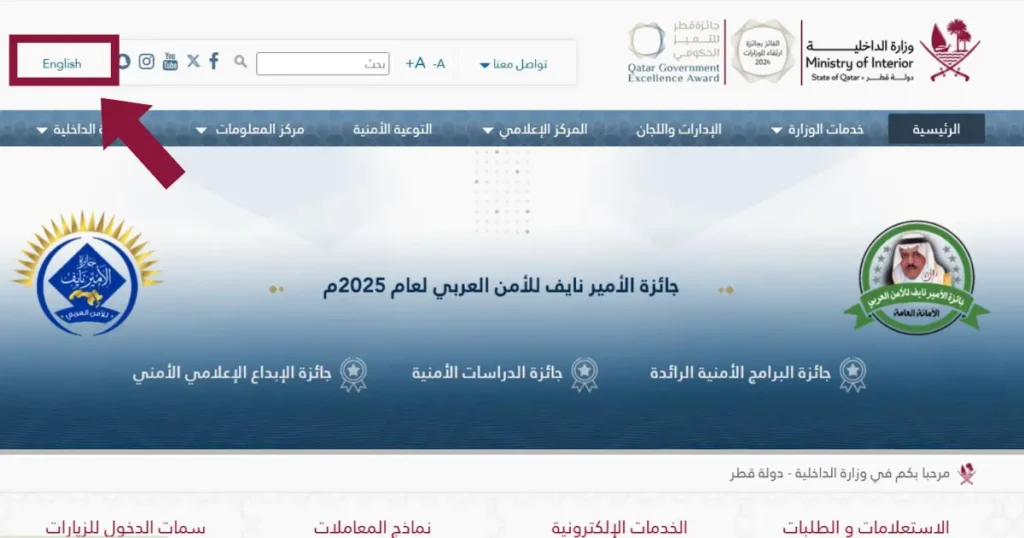
- Step 2: Select English or Arabic from the top left corner of the page.
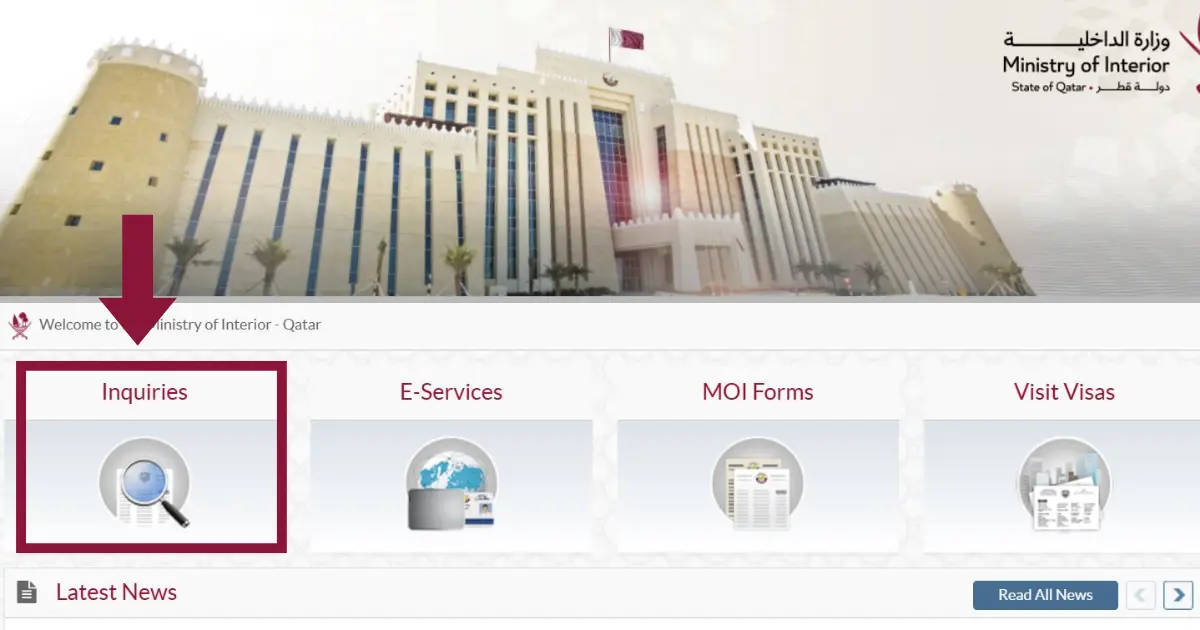
- Step 3: Scroll down slightly and click “Inquiries.”
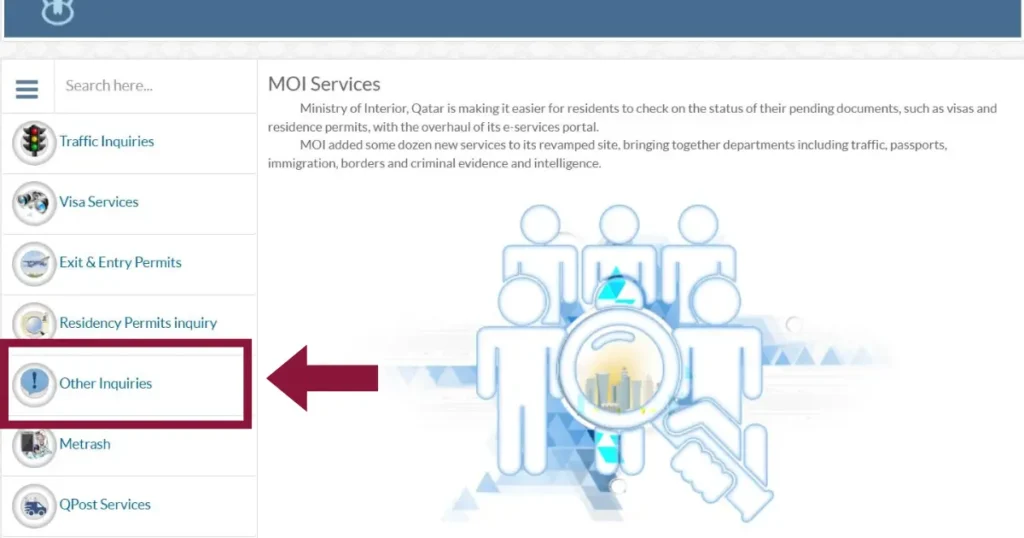
- Step 4: On the left panel, click “Other Inquiries.”
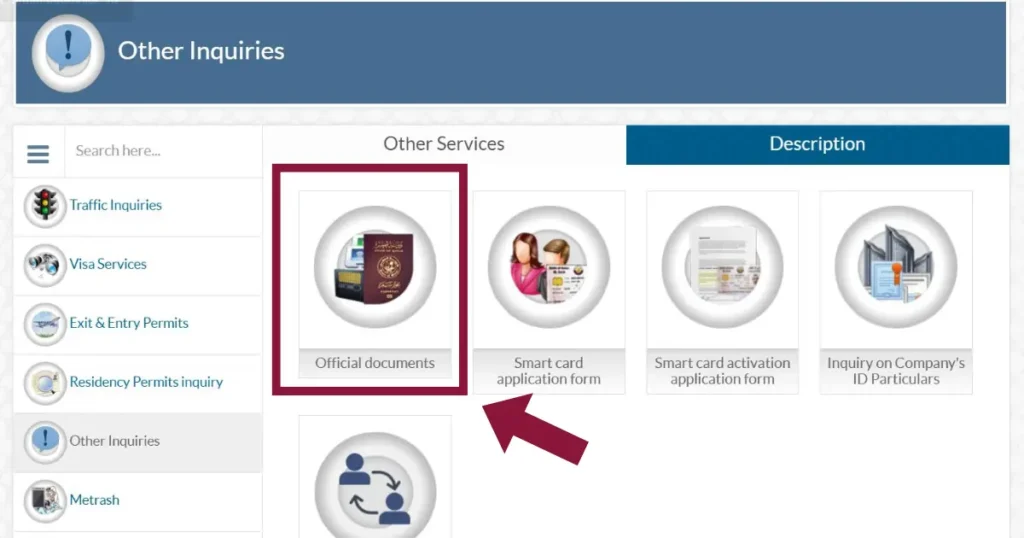
- Step 5: Select “Official Documents” from the four options shown.
- Step 6: Enter your 11-digit QID number in the box. Make sure there are no spaces before or after the number. Even one wrong digit will return an error.
- Step 7: Type the CAPTCHA code from the image or click the audio icon if the text is hard to read. The CAPTCHA is case-sensitive, so enter it exactly as shown.
- Step 8: Click “Search.” Your QID status will appear on screen along with your expiry date, residency details, passport validity, and driving license status.
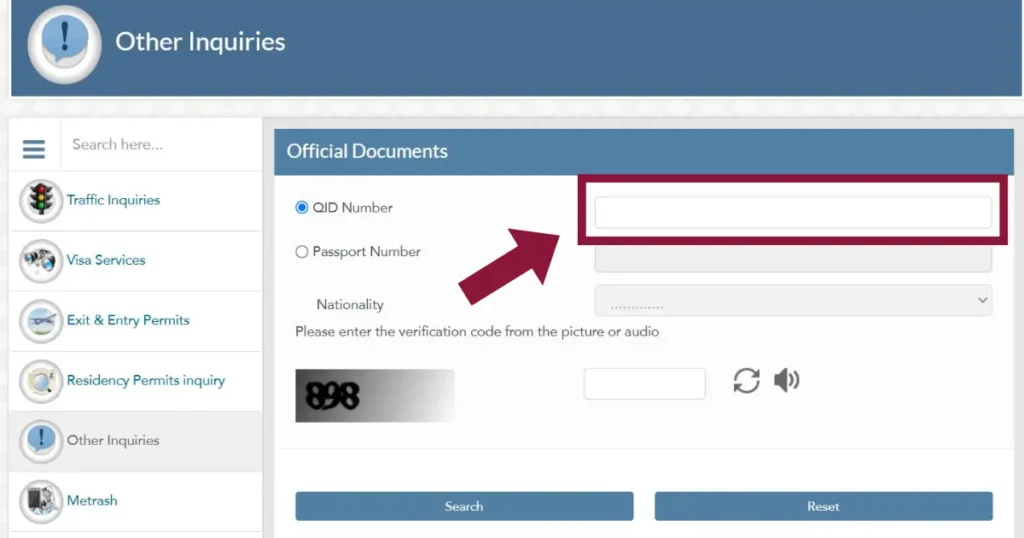
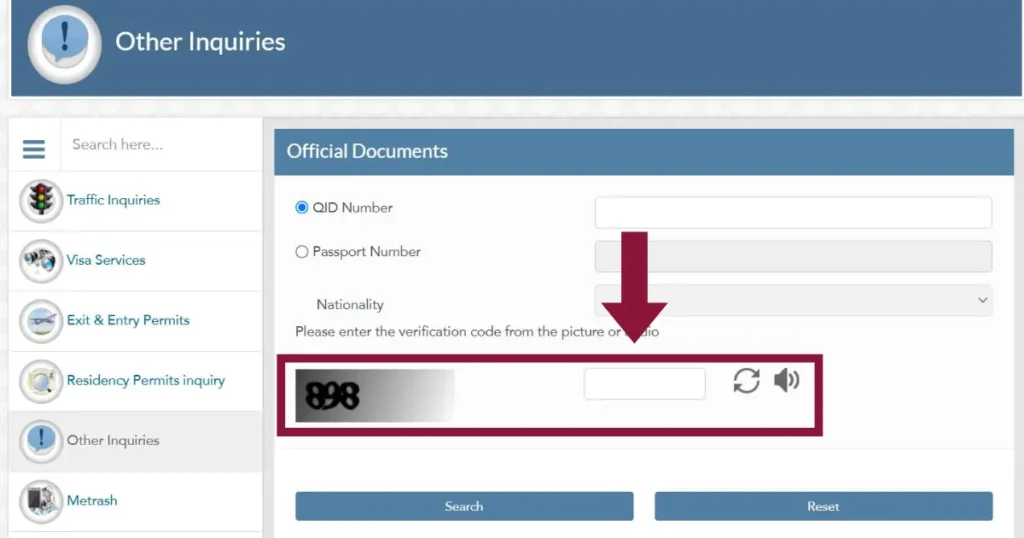
From experience: The MOI portal tends to be slow between 8 and 10 AM Qatar time when most people are checking. If the page takes too long to load, try again after 11 AM or use the Metrash app instead. Also, disable any VPN or proxy — the portal blocks most VPN connections.
How to Check Qatar ID by Passport Number
If your Qatar ID has not been issued yet or you do not have your QID number handy, you can check your record using your passport number and nationality on the same MOI portal.
- Step 1: Go to the Official Documents page on the MOI portal: portal.moi.gov.qa
- Step 2: Select your language (English or Arabic) from the top of the page.
- Step 3: Click the “Passport Number” option instead of QID Number.
- Step 4: Enter your passport number exactly as it appears on your passport. Do not add spaces or special characters.
- Step 5: Select your nationality from the dropdown list. This must match your passport nationality for the search to work.
- Step 6: Complete the CAPTCHA and click “Search.”
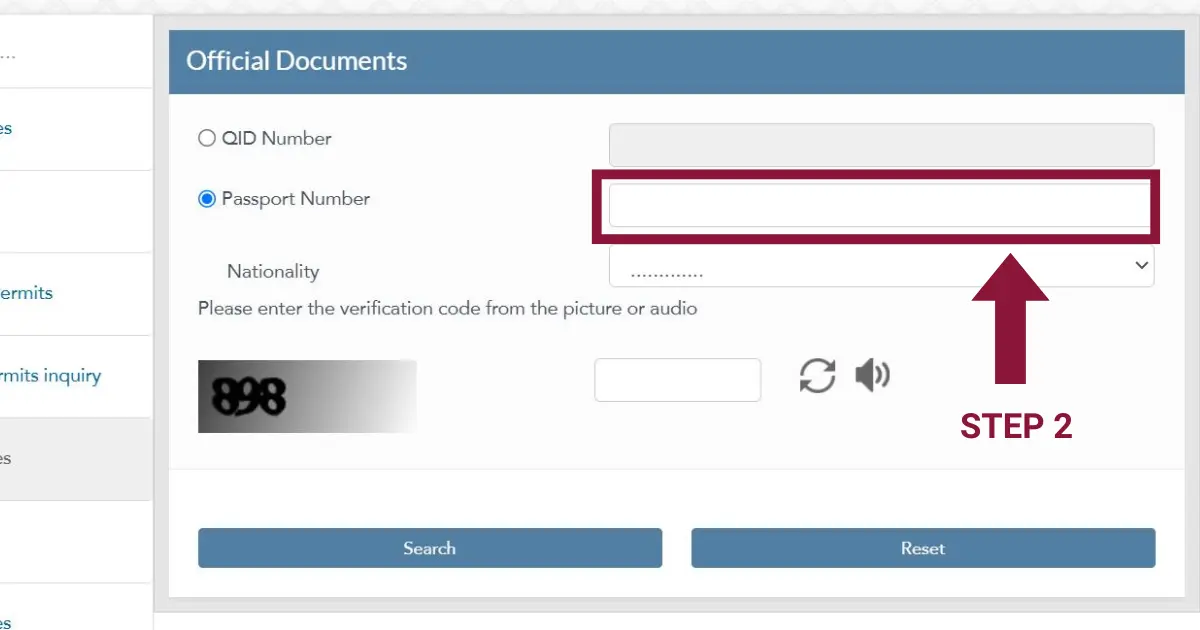
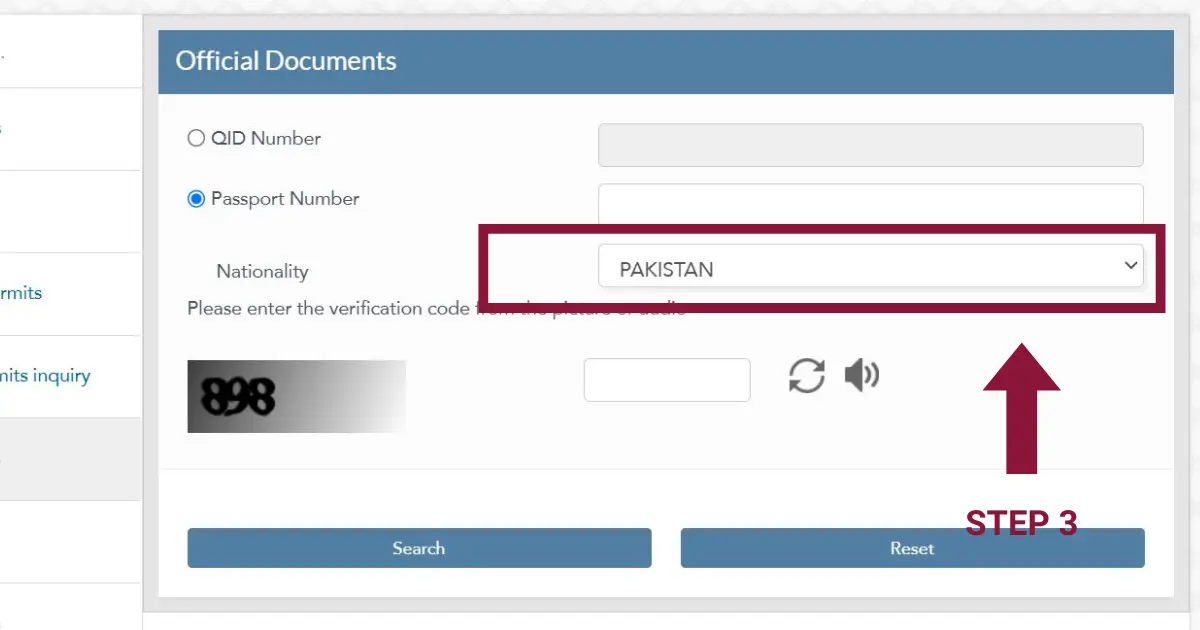
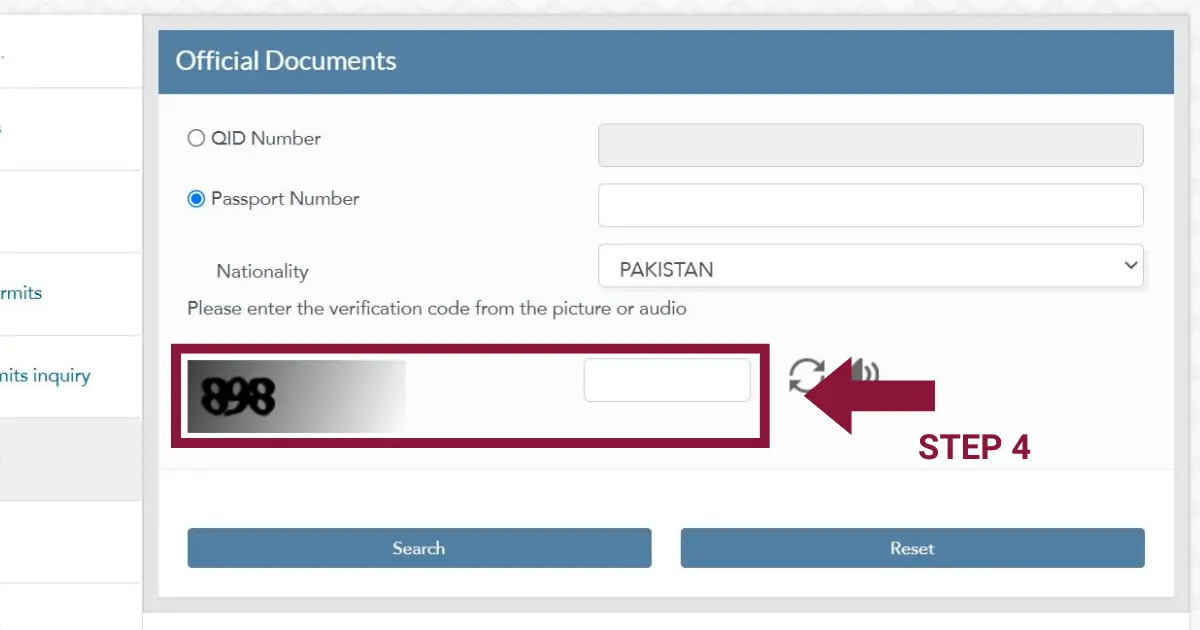
Your results will show your residency status and any pending Qatar ID updates. If no results appear, click “Reset” and re-enter your details carefully. Common reasons for no results include a typo in the passport number, selecting the wrong nationality, or your residency application still being in the early stages before it reaches the MOI system.
This method is especially useful if you recently arrived in Qatar and your sponsor has submitted your residency application but your physical QID card has not been issued yet. You can track progress using this passport check while you wait.
How to Check Qatar ID Using the Metrash App
Metrash is the official Ministry of Interior mobile app and the quickest way to check your QID status from your phone. The old Metrash2 app has been discontinued and merged into the current Metrash app.
- Step 1: Download the Metrash app from the Google Play Store or Apple App Store. Make sure you download the official version published by the Ministry of Interior.
- Step 2: Log in using your QID number and your registered mobile number. If you are a first-time user, you will need to verify your mobile number during registration. If the app does not accept your password on the first try, enter it again — this is a known issue where the app occasionally rejects the first login attempt.
- Step 3: Tap “Profile” from the bottom menu.
- Step 4: Open the “Wallet” section inside your profile.
- Step 5: Tap on the Qatar ID card to view your full status, including expiry date, residency details, and a digital copy of your QID that you can use whenever needed.
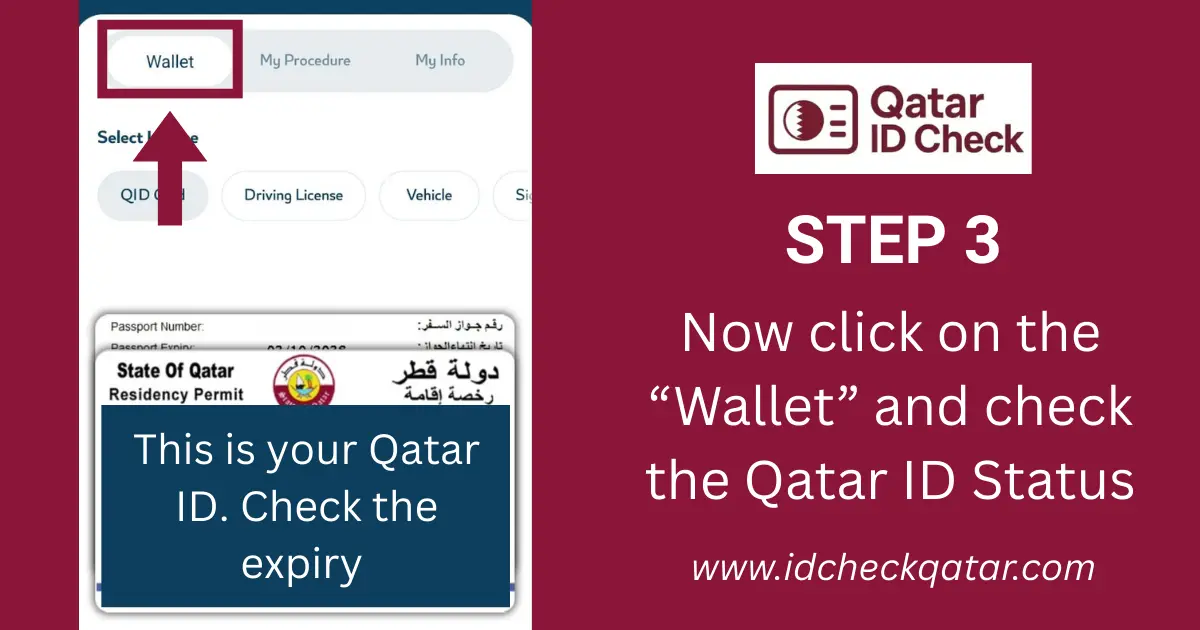
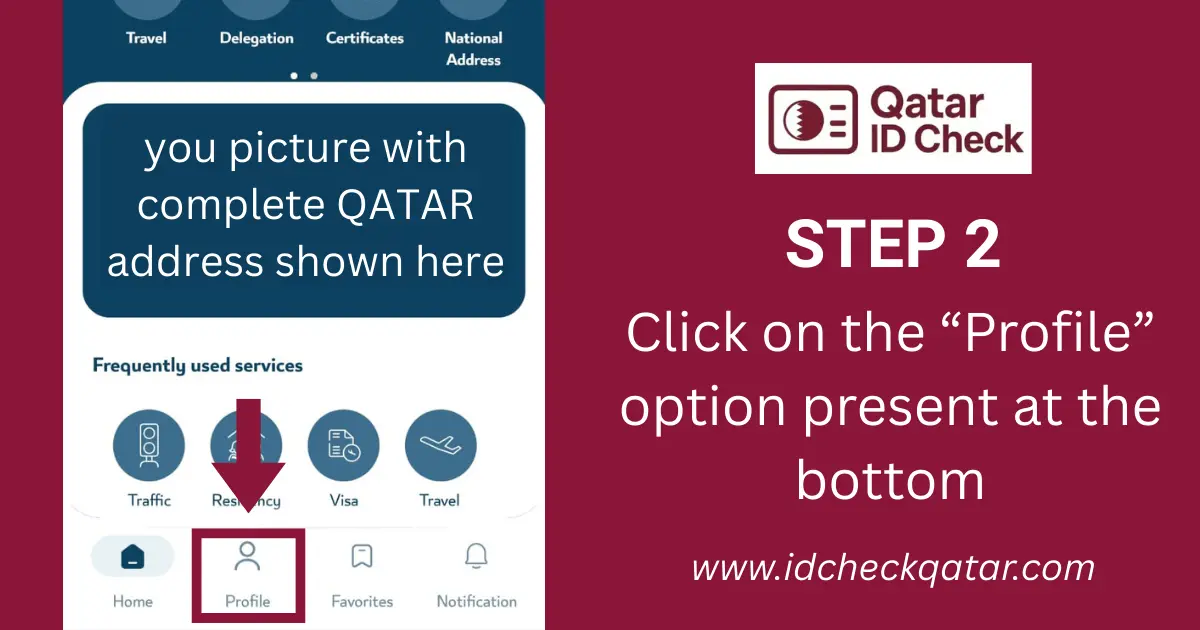
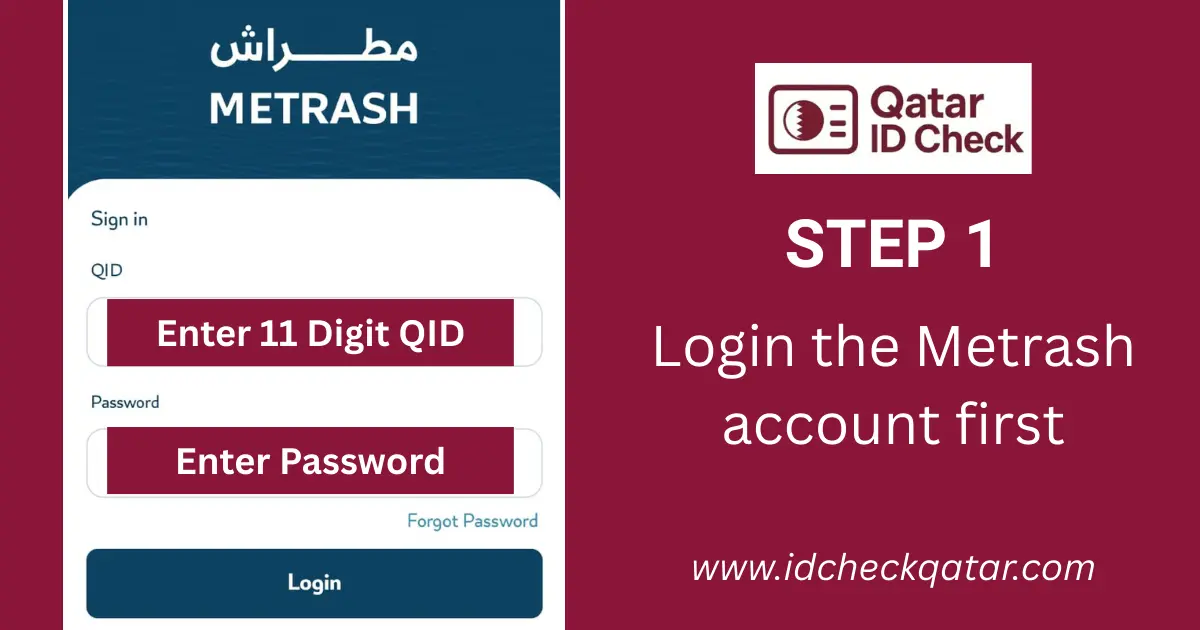
If your Qatar ID does not appear in the Wallet section, your residency may still be under process. In that case, check again in a few days or try the MOI portal method using your passport number.
The Metrash app also gives you access to other services, including checking traffic violations, paying fines, and viewing your driving license status — all from one place.
Video Guide: How to Check Qatar ID Status Online – All Methods
This video shows the main official methods to check Qatar ID status, including QID number, passport number, and Metrash.
MOI Portal vs Metrash App — Which Should You Use?
The MOI portal is faster for a quick one-time check because it requires no login. Metrash is better for ongoing use because it stores your digital QID and sends expiry reminders.
Feature | MOI Website | Metrash App |
|---|---|---|
Login required | No | Yes |
Works on | Any device with a browser | Mobile only (Android and iOS) |
Best for | Quick status check | Ongoing access, digital ID, multiple services |
Shows | QID status, expiry, residency, driving license | Same + digital QID copy, traffic fines, payments |
Speed | Fast if the portal is not under load | Consistently fast |
Common Qatar ID Check Problems and How to Fix Them
Most issues people face when checking their Qatar ID online are caused by small input mistakes or temporary system delays, not actual problems with their QID.
Problem | Why It Happens | Fix |
|---|---|---|
“No Result Found” | Wrong QID number, extra spaces, or browser cache | Double-check all 11 digits. Clear cache or try incognito mode. |
CAPTCHA not loading | Browser issue, especially on Safari | Switch to Chrome or Firefox. Disable ad blockers. |
Portal not loading at all | VPN active, peak hours (8-10 AM), or maintenance | Turn off VPN. Try after 11 AM or use the Metrash app. |
Status still shows “Expired” after renewal | MOI system takes 24-48 hours to update after renewal processing | Wait and recheck. Verify inside the Metrash app first — it often updates faster than the portal. |
Wrong passport or nationality data | Information is not updated after passport renewal or nationality correction | Visit an MOI service center with your current passport and QID for same-day correction. |
“Under Process” for more than 4 weeks | Pending medical results, biometrics, or sponsor approval | Contact your sponsor or employer. Visit the CEID center to check if biometrics are complete. |
Valid in Metrash but showing invalid at the bank | The bank is reading outdated MOI records | Show your digital QID from Metrash at the bank and ask them to refresh your record from MOI. |
If none of these solutions works, contact MOI directly at 2366666 or email [email protected]. You can also visit any MOI service center in Qatar for in-person help.

Qatar ID (QID) FAQs
Keep Your Qatar ID Valid
Your Qatar ID is required for nearly every service in Qatar, from banking and healthcare to employment and travel. Regular status checks take less than a minute and help you catch expiry dates or issues before they become problems. If your QID is expiring soon, start the renewal process through the MOI QID renewal service at least one month before the expiry date to avoid fines and service interruptions.
If you are new to Qatar and waiting for your first QID, you can learn about the full application process and requirements here.